Purpose
This guide will show you how to import challenges .bog file to your station and submit your results to the website.
Importing
When you click on a challenge post on the website, the first thing provided in the post, will be a .bog file, if one is needed to do the challenge.
-
Download the .bog file - In this guide, I’m assuming the file will be downloaded to the Niagara User Home directory, usually located at
"C:\Users\[username]\Niagara4.[xx]\[distributor]\challenges"
For me, that looks like this"C:\Users\Rose3\Niagara4.13\vykon\challenges" -
Unfold
*My Host -> My File System -> User Home -> challenges -> [name].bog*and copy the folder.
-
Open your running station and paste it to config

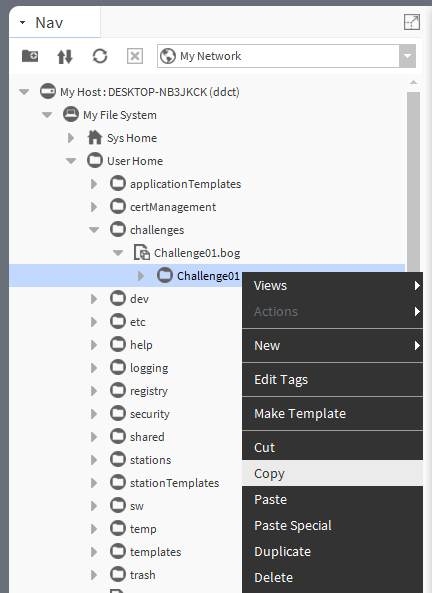

You can now work on the challenge.
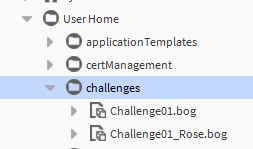
Once done, rename the folder to something like Challenge01_MyName, copy the folder and paste it back to the challenges folder under User Home.
A .bog file is now created, and you should be able to drag/drop it into a post on the forum.
Happy learning!
Rosenthaler

 Love it!